


Hey there! As a supplier of AGV Multi Vehicle Linkage, I've seen firsthand how important software updates are in keeping these systems running smoothly. In this blog, I'll share some tips on how to handle software updates in AGV Multi Vehicle Linkage.
Why Software Updates Matter
First off, let's talk about why software updates are a big deal. In the world of AGV Multi Vehicle Linkage, software is the brains behind the operation. It controls how the vehicles move, communicate with each other, and interact with the environment. Updates can bring new features, improve performance, and fix bugs. For example, a new update might optimize the path - planning algorithm, allowing the AGVs to move more efficiently and avoid collisions better.
Pre - Update Preparation
Before you start the update process, there are a few things you need to do.
1. Backup Your Data
This is crucial. You don't want to lose any important data during the update. Make sure to back up all the configuration files, maps, and historical data related to your AGV Multi Vehicle Linkage system. This way, if something goes wrong during the update, you can easily restore the system to its previous state.
2. Check Compatibility
Not all updates are created equal. You need to check if the new software version is compatible with your hardware. Some updates might require a certain level of hardware performance or specific hardware components. You can refer to the manufacturer's documentation to find out if your AGVs can support the new software.
3. Test in a Staging Environment
If possible, set up a staging environment that mimics your production environment. Install the software update in this staging area and test all the functions of the AGV Multi Vehicle Linkage system. Check for any errors, glitches, or performance issues. This will help you identify and fix problems before rolling out the update to the production environment.
The Update Process
Once you've completed the pre - update preparation, it's time to start the update.
1. Schedule the Update
Choose a time when the AGV Multi Vehicle Linkage system is not in heavy use. This could be during off - peak hours or on weekends. Scheduling the update at an appropriate time will minimize the impact on your operations.
2. Follow the Manufacturer's Instructions
The manufacturer usually provides detailed instructions on how to install the software update. Make sure to follow these instructions carefully. It might involve downloading the update from a specific website, transferring it to the AGV control units, and then running the installation process.
3. Monitor the Update
During the update process, keep a close eye on it. Check for any error messages or warnings. If you encounter any problems, stop the update immediately and refer to the troubleshooting guide provided by the manufacturer.

Post - Update Verification
After the update is complete, you need to verify that everything is working as expected.
1. Function Testing
Test all the functions of the AGV Multi Vehicle Linkage system. Make sure the AGVs can move correctly, communicate with each other, and perform their tasks without any issues. Check if the new features introduced in the update are working properly.
2. Performance Monitoring
Monitor the performance of the system over a period of time. Check for any changes in speed, accuracy, or energy consumption. If you notice any significant changes, it could indicate a problem with the update.
3. User Training
If the update introduces new features or changes the user interface, you need to provide training to the operators. Make sure they are familiar with the new functions and know how to use the system effectively.
Special Considerations for Different Types of AGVs
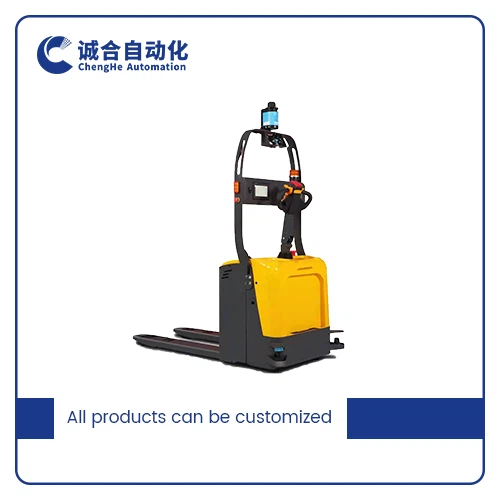
We offer a variety of AGVs, such as the Explosion - proof Collaborative AGV and Customized Automatic Guided Pallet Truck. Each type of AGV might have specific requirements for software updates.
For explosion - proof AGVs, safety is of the utmost importance. The software update must comply with strict safety standards. You need to ensure that the update does not compromise the explosion - proof features of the AGV.
Customized AGVs, like the Customized Automatic Guided Pallet Truck, might have unique functions and configurations. When updating the software, you need to pay special attention to these customizations to make sure they are still working correctly after the update.
Working with a Professional Supplier
As a professional AGV Multi Vehicle Linkage supplier, we offer Customized AGV Service. Our team of experts can help you with the software update process. We can provide technical support, training, and even manage the entire update project for you.
If you're facing any challenges with software updates or need advice on how to handle them, don't hesitate to reach out. We're here to make sure your AGV Multi Vehicle Linkage system is always up - to - date and running at its best. Whether you're a small business or a large enterprise, we have the solutions to meet your needs.
If you're interested in our products or services, or if you have any questions about AGV software updates, feel free to contact us for a procurement discussion. We look forward to working with you to optimize your AGV operations.
References
- Manufacturer's documentation for AGV Multi Vehicle Linkage systems
- Industry best practices for software updates in industrial automation


