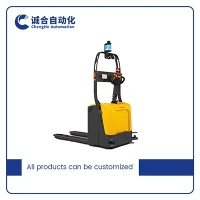
Hey there! As a supplier of Handling Forklift AGV 2T, I'm here to share with you the software update methods for our awesome machines.
First off, let's talk about why software updates are so important. Just like your smartphone, the software in our Handling Forklift AGV 2T needs regular updates to keep it running smoothly, adding new features, and improving security. With the rapid development of technology, we're constantly finding ways to make our AGVs more efficient, reliable, and user - friendly.
Over - the - Air (OTA) Updates
One of the most convenient methods we offer is Over - the - Air (OTA) updates. It's just like how your phone gets its updates. You don't have to physically connect the AGV to a computer or any other device. We've set up a secure server that can push the latest software directly to the AGV.
Here's how it works. Our team of developers works hard to create new software versions. Once they're satisfied with the new features and bug fixes, they upload the updated software to our secure server. The AGV, which is always connected to the network, periodically checks for updates. When a new version is available, it sends a notification to the operator.
The operator can then choose to install the update at a convenient time. Usually, it's best to do it during off - peak hours to avoid any disruption to the workflow. The AGV will download the update in the background, and once it's fully downloaded, it will prompt the operator to restart the AGV to complete the installation.


OTA updates are great because they save a lot of time and effort. You don't have to send someone to manually update each AGV, which can be a real hassle, especially if you have a large fleet. And since it's all done wirelessly, there's no risk of damaging any cables or connectors during the update process.
Manual Updates
Sometimes, though, you might prefer to do a manual update. Maybe your network isn't stable enough for an OTA update, or you just want more control over the process. For manual updates, we provide a USB drive with the latest software version.
To start the manual update, you first need to download the software from our official website. You can find the download link on the support page. Once you've downloaded the software, you transfer it to a USB drive. Make sure the USB drive is formatted correctly and has enough space to hold the update file.
Next, you insert the USB drive into the AGV's USB port. The AGV will detect the USB drive and prompt you to start the update process. Follow the on - screen instructions carefully. The AGV will read the update file from the USB drive and install it. It might take a little longer than an OTA update because you have to physically handle the USB drive and go through the steps manually.
But manual updates give you more flexibility. You can choose exactly when and where to update the AGV. And if you're having trouble with the network, it's a reliable backup option.
Update Compatibility
Before you start any update, it's important to check the compatibility of the new software with your AGV. Our software is designed to be backward - compatible with most of our Handling Forklift AGV 2T models. But in some cases, there might be specific requirements.
We always provide detailed release notes for each software update. These notes will tell you what new features are included, what bugs have been fixed, and any compatibility issues you might encounter. Make sure to read these notes carefully before you start the update.
If you're not sure whether the update is suitable for your AGV, you can always contact our support team. They're really helpful and can guide you through the process.
Benefits of Software Updates
Now, let's talk about the benefits of keeping your Handling Forklift AGV 2T up - to - date. First of all, new software versions often come with performance improvements. The AGV will be able to move faster, lift heavier loads more efficiently, and navigate more accurately. This means you can get more work done in less time, which is great for your bottom line.
Secondly, software updates enhance security. As technology advances, so do the threats. Our developers are constantly working to patch any security vulnerabilities in the software. By installing the latest updates, you can protect your AGV from potential cyber - attacks and keep your operations safe.
Another benefit is the addition of new features. We're always looking for ways to make our AGVs more useful. For example, a new software version might include a better user interface, which makes it easier for operators to control the AGV. Or it could have new navigation algorithms that allow the AGV to avoid obstacles more effectively.
Related Products
If you're interested in other types of AGVs, we also offer some great options. Check out our Automated Pallet Truck AGV, which is perfect for moving pallets around your warehouse. And our Automated Counterbalanced Forklift is great for handling heavier loads with more stability. We also have the Omni - directional Forklift AGV, which can move in any direction, giving you more flexibility in your operations.
Contact for Purchase
If you're thinking about purchasing our Handling Forklift AGV 2T or any of our other products, or if you have any questions about software updates or anything else related to our AGVs, don't hesitate to get in touch. We're always here to help you make the best decision for your business.
References
- AGV Software Development Best Practices, Industry Whitepaper
- Internal Documentation on Handling Forklift AGV 2T Software Updates